
Page image looks different on Firefox
Support Area › Forums › Elite › Page image looks different on Firefox
- This topic has 5 replies, 2 voices, and was last updated 8 years, 2 months ago by
Bill Robbins.
-
AuthorPosts
-
February 11, 2016 at 16:08 #35449
Angelina & Lawrence Birney
ParticipantHi Bill,
As you requested, I’m continuing my previous question under a new Topic regarding: http://www.perribirney.com/tara-thunderbolt
I saw the screenshot you sent me of the Tara page that you viewed on Firefox.
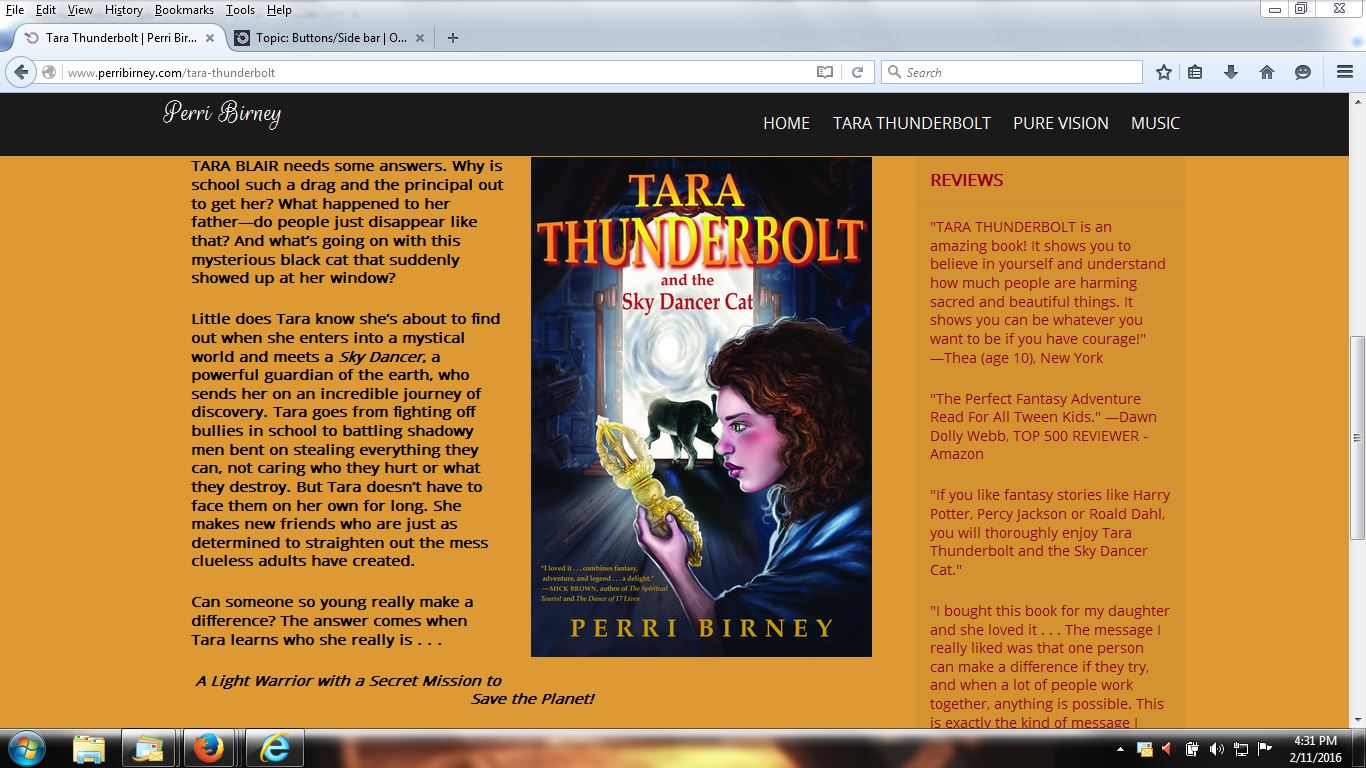
The issue still remains for me, though. I’m viewing the page (100%) on Firefox on a normal laptop, not an iPad or mobile device, and the wording and picture coordination is off kilter. I’ve attached the Screenshot (Below) of what I see. Is there a simple explanation for that?
Thank you as always,
Angelina
Attachments:
February 11, 2016 at 16:20 #35451Bill Robbins
ModeratorHi Angelina,
Thanks for sending over the screenshot. That looks like what I see in Firefox, Chrome, Safari on my Mac and on Safari on my iPad. I’m not seeing anything there that looks different from I would expect to see.
Why are you wanting to see there that you’re not now? Let’s go from there.
Bill
February 11, 2016 at 16:47 #35452ParticipantHi Bill,
Specifically, here’s the line I’m talking about:
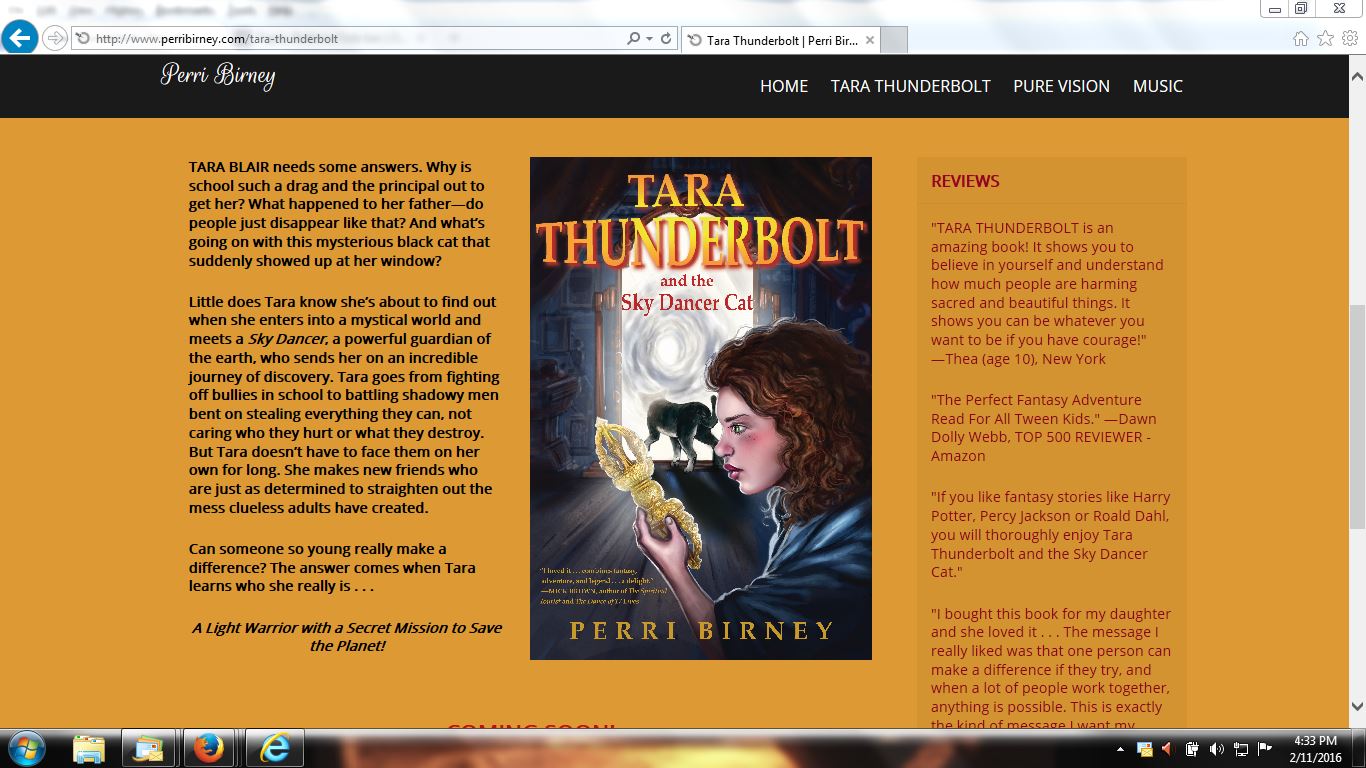
A Light Warrior with a Secret Mission to Save the Planet!You’ll see what I mean if you first look at the SCREENSHOT (attached below) of the INTERNET EXPLORER page and then look at the SCREENSHOT (attached below) of the FIREFOX page.
For some reason, that particular line on the TARA Page on Firefox is off kilter.
The same line from the TARA Page on Internet Explorer looks fine.Perhaps this is just a freaky computer thing. If you could let me know, I’d appreciate it.
Thank you!
Angelina
February 11, 2016 at 16:59 #35455ModeratorGotcha. Different browsers and operating systems render fonts differently from each other. That causes them to sometimes take up different amounts of space. Most likely that’s what’s happening here. Firefox generally makes its type a bit heavier which causes it to occupy more space than Internet Explorer.
It’s a quirk of browsers and operating systems. It’s a less invasive difference than some of the browser differences of years gone by, but it can still frustrate.
It will be hard to have them end at the same point vertically. If you want that line to be completely to the left of the picture you might look at either making the image just a bit narrower or cutting the text just a bit so there is one fewer line.
Bill
February 11, 2016 at 18:32 #35456ParticipantHi Bill,
Thanks so much for your explanation of the quirks with browsers. Of course, I especially thank you for kindly answering all of my questions, big and small. Your help has been invaluable. Also wanted to let you know that I love the Elite Theme as well as the Foundation Theme which I use on my other site.
Perhaps I’ll be asking another question sooner than I think, but for now signing off.
All the best,
Angelina
February 11, 2016 at 19:04 #35457ModeratorHappy to help out Angelina 🙂
-
AuthorPosts

- The topic ‘Page image looks different on Firefox’ is closed to new replies.
